Please Donate To Help Us Run This Site

Airbnb Details & Links
(This page was last updated on the 01/01/2026)
**************************************
Airbnb Guidelines For International Law Enforcement can be found Here
**************************************
Useful Details & Articles To Help Investigate Airbnb Accounts

View & Download A Large Version Of An Airbnb Profile Image
From the account holders' page, Right Click on the profile image and select Open Image In A New Tab or View Image, which will open up a fresh tab with a small copy of the image on a URL similar to;
https://a0.muscache.com/im/users/********/profile_pic/**********/original.jpg?im_w=240
then if you double and re-double the number at the end of the URL to 480 or 960, so in this case it would be;https://a0.muscache.com/im/users/********/profile_pic/**********/original.jpg?im_w=960
then it will show a much larger copy of the image, from which you can identify the person or carry-out a more effective reverse image search etc.Or you can obtain a large version of the profile image if you access the subjects account page using the Developer Tools, by clicking on F12, then if you are using Firefox access the Inspector tab, whilst in Chrome access the Elements tab, and then press Ctrl F and search for the phrase https://a0.muscache.com/im/pictures/user/. Then click through the results and put your cursor on the highlighted hyperlinks, then usually from the 3rd or 4th linked result, you will be able to view a large version of the profile image. You can copy the listed URL and put this into an address bar to view and save a large version of the profile image.
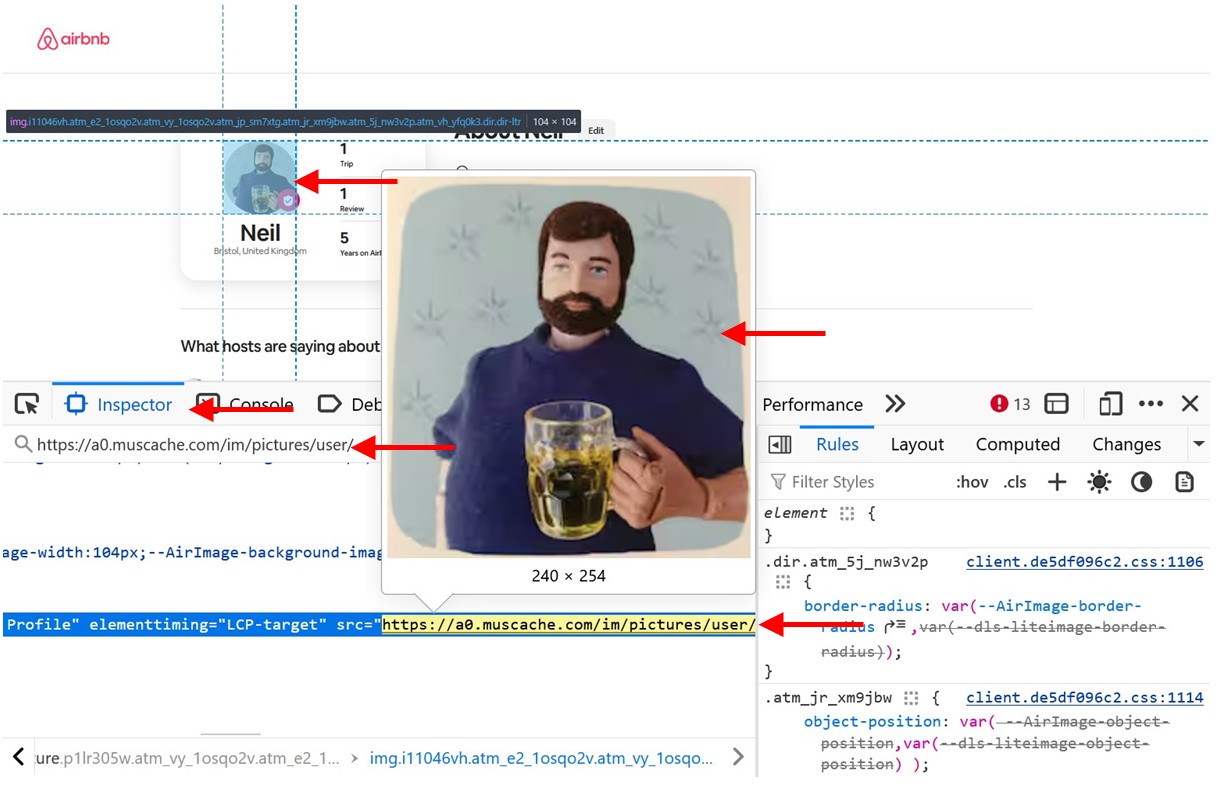
Obtain Additional Airbnb Account Information
If you have a subjects mobile number, then it can be easily searched on a site such as OSINT Industries, or any of the others shown on the Mobile Phone page of our website, which may locate any Airbnb account linked to it.
Sometimes it will just link to an Account Name and Profile Image, other times it may list an Airbnb Account ID Number, which can then be added to the end of the below URL's, to open an account page;
https://www.airbnb.com/users/profile/
https://www.airbnb.com/users/show/
You can alter the URL between .com and .co.uk and between profile / show, as some accounts may not open in the original format, also some accounts may be more visible if you are signed into Airbnb.
My OSINT Training Bookmarklet
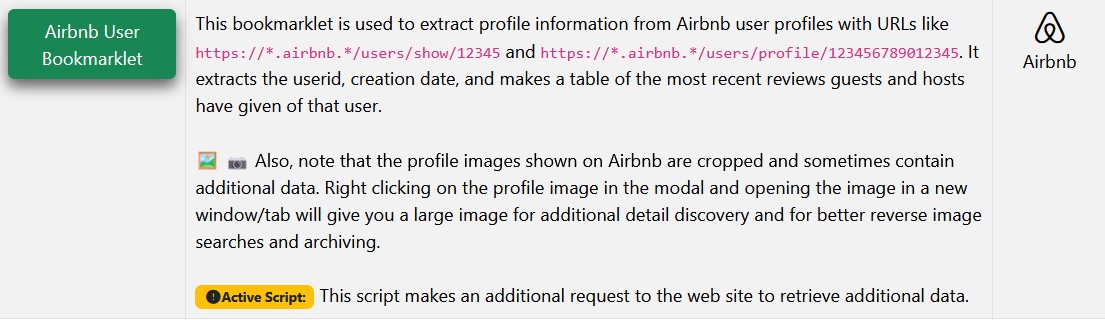
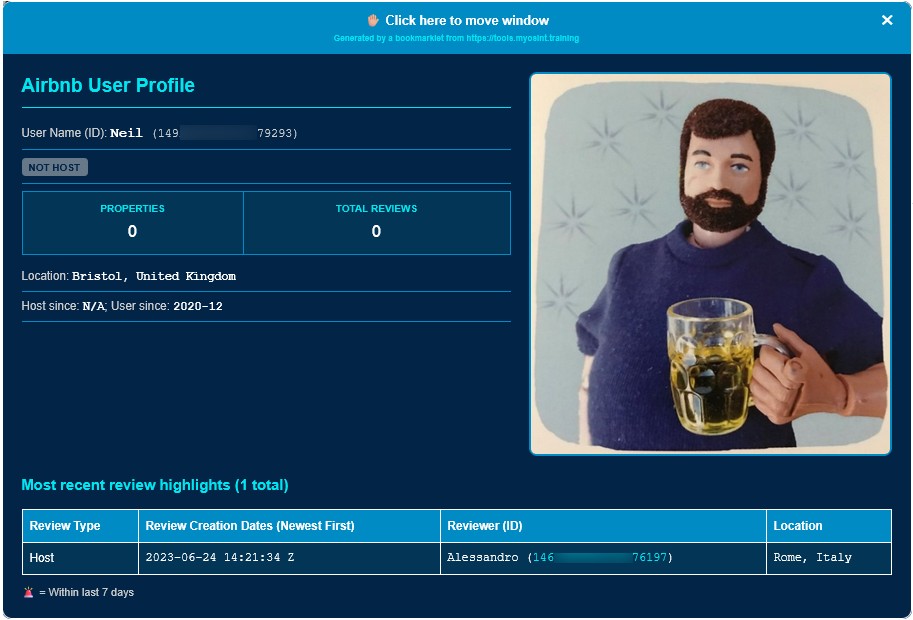
Install the Airbnb User ID Bookmarklet from MyOSINT.Training to obtain additional Airbnb account information, including the Account ID, Creation Date, a table of the most recent reviews given or received as guest / host. Also, as some of Profile Images shown on Airbnb are cropped and sometimes contain additional data, so by Right Clicking on the Profile Image supplied from the Bookmarklet, and opening the image in a new tab, you can access a large uncropped image. You can install the Bookmarklet to your Browsers Bookmark Toolbar, by either Right Click on the Bookmarklet and select Bookmark Link, or just left click on the Bookmarklet link and then drag it to your Bookmark Toolbar. Then when you are on an Airbnb account page, just click on the Airbnb User ID Bookmarklet on your Bookmark Toolbar and the additional details will be supplied.