Please Donate To Help Us Run This Site


Useful Pinterest Related Sites & Links
(This page was last updated on the 27/11/2025)
**************************************
Pinterest Guidelines For Law Enforcement can be found Here
**************************************
Useful Details & Articles To Help You Investigate Pinterest Accounts

From A Pinterest Account To An Email Address
As set out in one of the links above, in an article called A Tremendously Valuable OSINT Tip For Pinterest by Griffin Glynn / hatless1der, Pinterest is a site where you can sign in via a Google Gmail address, and if you do, it appears that Pinterest, by default, takes the account name / username portion of your email address, and makes it your Pinterest username. This means if you are researching a Pinterest account, you could try adding the Pinterest username in front of @gmail.com, or other popular email types, to see if you can identify a subject's email address, by researching it, and checking it, using some of the sites linked under the Email Address Searches heading, on the Email page of our website, such as OSINT Industries, Epieos & Lol Archiver.
How To Locate A Pinterest Personal Account ID Number
Method 1 - Using The Source Code
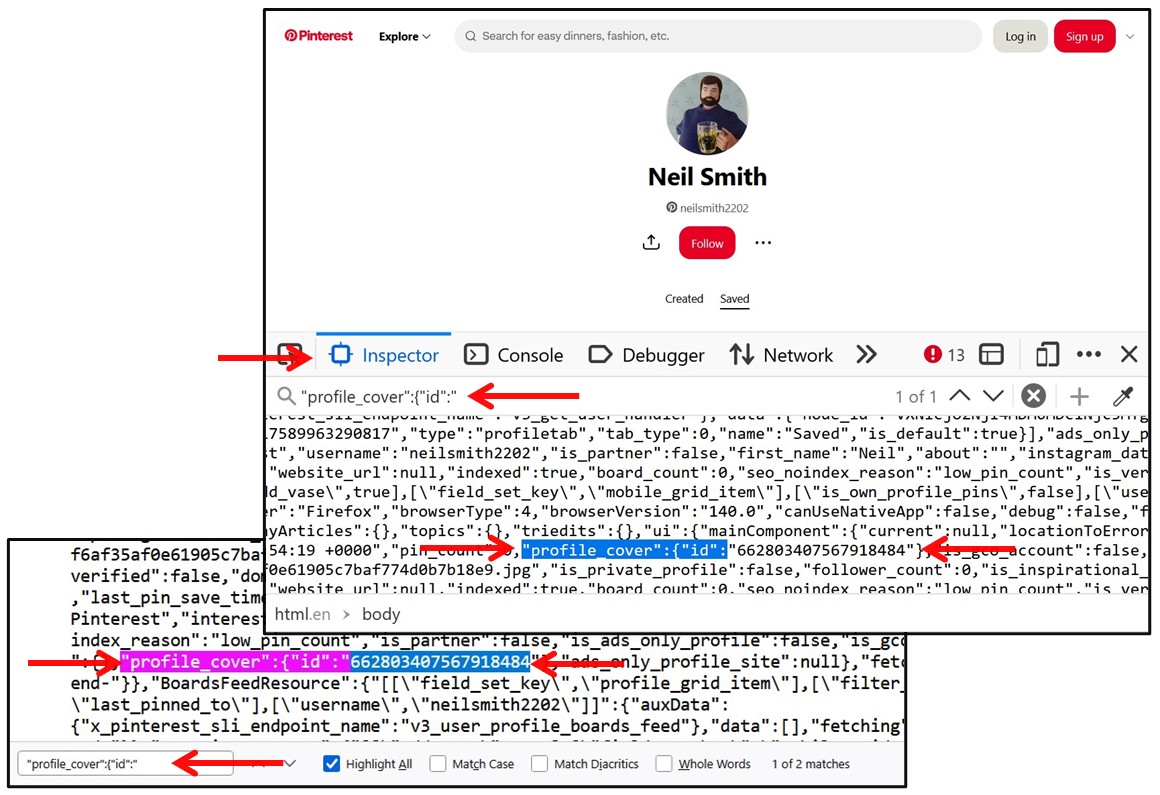
Without signing in, view the source code (right click & View Page Source) of the subjects account page and search for the phrase "profile_cover":{"id":" and the Pinterest Personal Account ID Number will be listed after that.
Method 2 - Using The Developer Tools
By clicking on F12 to open the Developer Tools when viewing the Pinterest account of interest, if using Firefox access the Inspector tab, whilst in Chrome access the Elements tab, then press Ctrl F and search for "profile_cover":{"id":" and the Pinterest Personal Account ID Number will be listed after that.
Method 3 - Using The MyOSINT.Training Bookmarklet
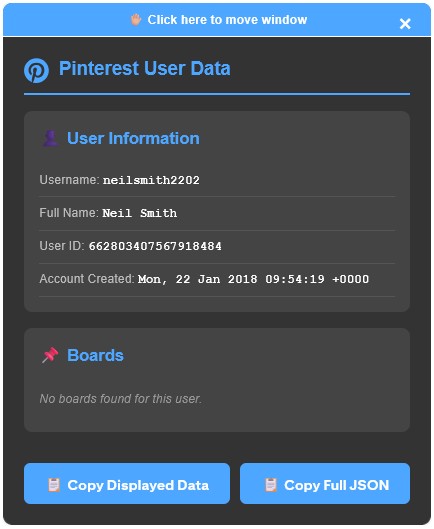
Install the Pinterest User Bookmarklet from MyOSINT.Training, which can be done by adding it to your Browsers Bookmark Toolbar, by either Right Click on the Bookmarklet and select Bookmark Link, or just left click on the Bookmarklet link and then drag it to your Bookmark Toolbar. Then, when you are on a Pinterest account, just click on the Bookmarklet on your Bookmark Toolbar, and the account details, along with the Account ID Number and the date & time the account was created, will be displayed, along with some Board details.

How To Locate When A Pinterest Personal Account Was Created & Last Updated
Method 1 - Using The Source Code
Without signing in, view the source code (right click & View Page Source) of the subjects account page and search for the phrase "created_at":" and the date & time that the Pinterest Personal Account was Created will be listed after that, usually as the First One Shown, the other entries relating to "created_at":", usually indicate when a Pin was created or the Followers number has been updated etc, which it will say in the text before "created_at":". Or search for the phrase "last_pin_save_time": and the date & time that the last Pin was created / saved to the account will be listed after that.
Method 2 - Using The Developer Tools
by clicking on F12 to open the Developer Tools when viewing the Pinterest account of interest, if using Firefox access the Inspector tab, whilst in Chrome access the Elements tab, then press Ctrl F and search for "created_at":" and the date & time that the Pinterest Personal Account was Created will be listed after that, usually as the First One Shown, the other entries relating to "created_at":", usually indicate when a Pin was created or the Followers numbers has been updated etc, which it will say in the text before "created_at":". Or search for the phrase "last_pin_save_time": and the date & time that the last Pin was created / saved to the account will be listed after that.
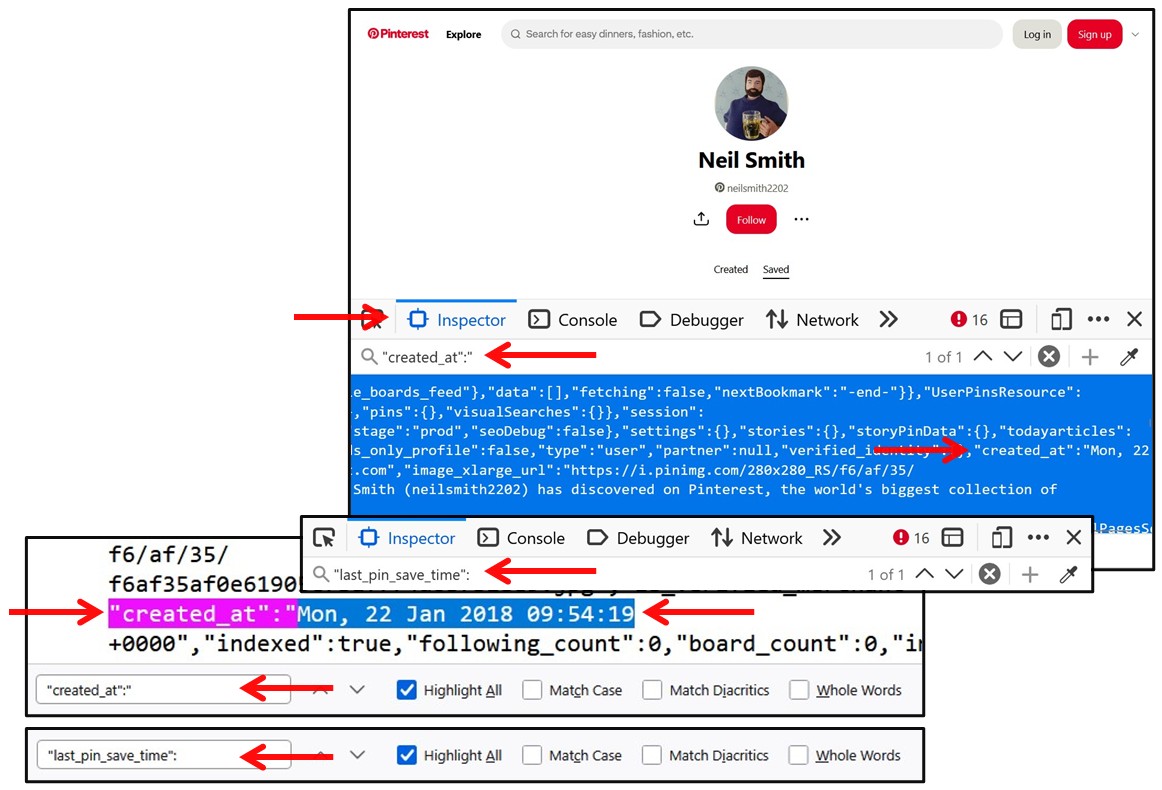
Method 3 - Using The MyOSINT.Training Bookmarklet Details Shown Above
Sign In To View An Accounts Followers / Followings
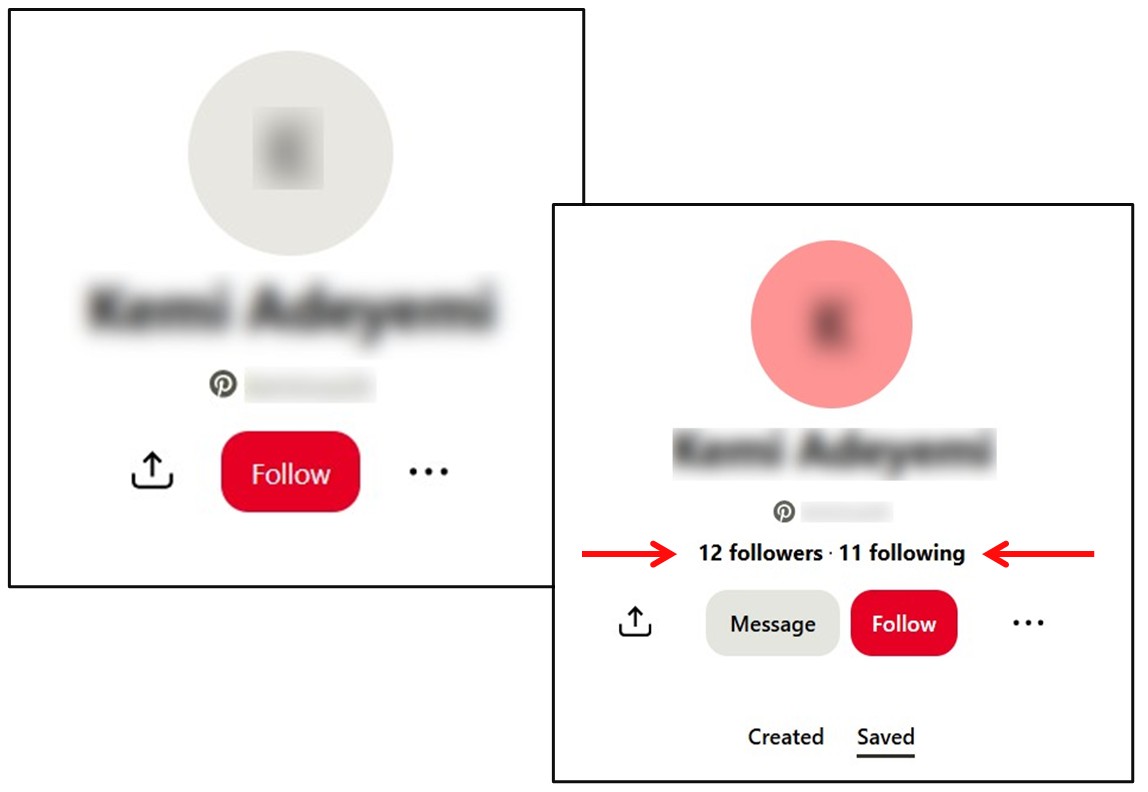
If you do not sign in to Pinterest, then although you can see the Pins of the account, you can not see which other Pinterest accounts it is Following or which are Following it. However, if you sign in to Pinterest, then you can view the details of an accounts Followers / Followings, which may be useful if you are unable to locate the account holder elsewhere on social media.
So if your subject has a Pinterest account but a fairly common name, so can not be easily identified on Facebook or Instagram etc, then check which accounts on Pinterest it is linked to. Amongst its Followers / Followings, look for accounts with similar family names, or regular individuals accounts, not celebrity or business or verified / blue tick accounts, and check them out on Facebook or Instagram etc, and if you locate an account for them, then check those accounts Friends / Followers etc, looking for the account of your subject.
View & Download A Large Version Of A Pinterest Profile Image
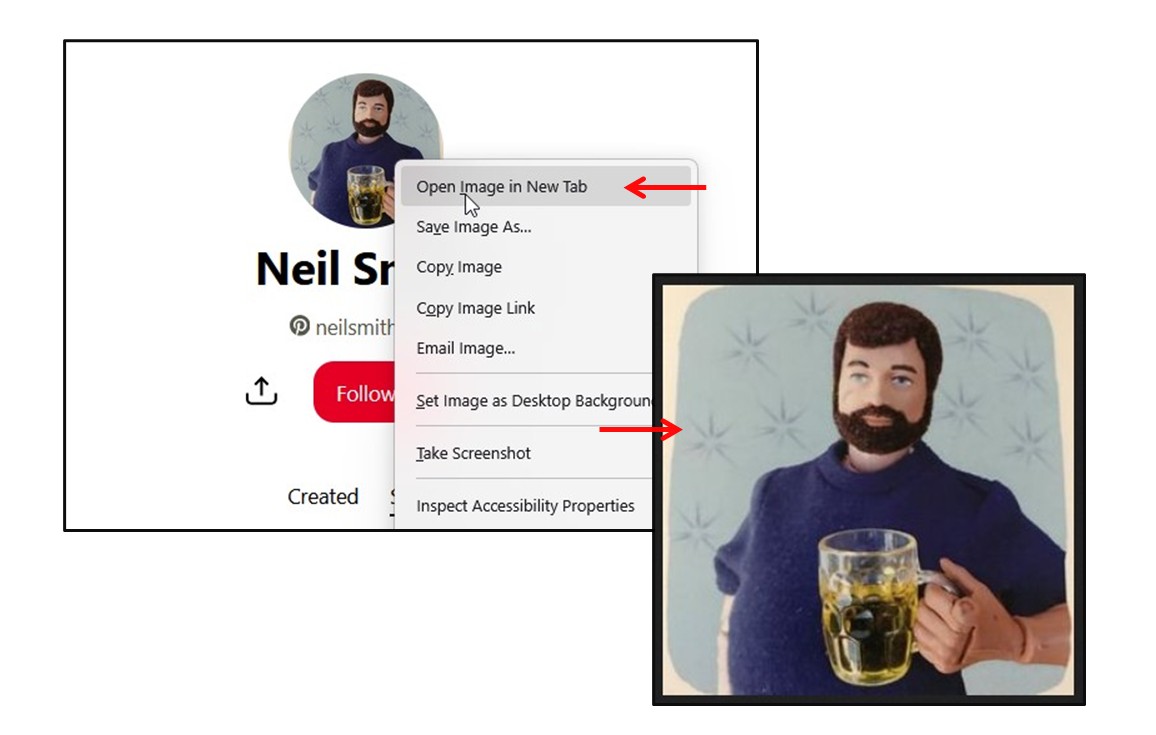
From the account holders' page, Right Click on the Profile image and then select Open Image In New Tab to view and obtain a larger version of it.