
Please Donate To Help Us Run This Site


Useful X / Twitter Related Sites & Links
(This page was last updated on the 09/10/2026)
**************************************
X / Twitter Guidelines For Law Enforcement can be found Here
**************************************

X / Twitter Advanced Search

Turn An X / Twitter Account Name Into An X / Twitter ID Number & Reverse It
Many of the online resources, where you could paste in an accounts URL to obtain an Account ID Number, or to do the reverse, no longer work, so we have now removed the links from our website, however there are still techniques which you can use to obtain an Account ID Number, or turn an Account ID Number into an Account Name, some of which are listed below.
Method 1 - Use MyOSINT.Training Bookmarklet
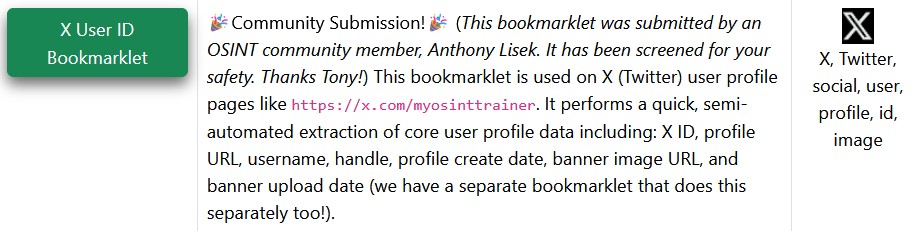
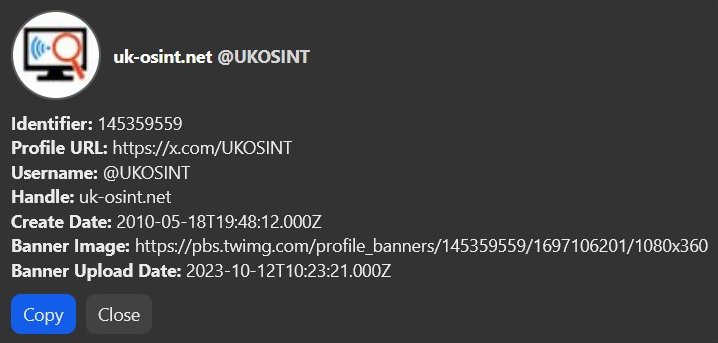
Install the X User ID Bookmarklet from MyOSINT.Training, which can be done by adding it to your Browsers Bookmark Toolbar, by either Right Click on the Bookmarklet and select Bookmark Link, or just left click on the Bookmarklet link and then drag it to your Bookmark Toolbar. Then when you are on an X / Twitter account, just click on the Bookmarklet on your Bookmark Toolbar and a number of different account details will be displayed.
Method 2 - Use F12 Developer Tools To Obtain An X / Twitter Account ID Number
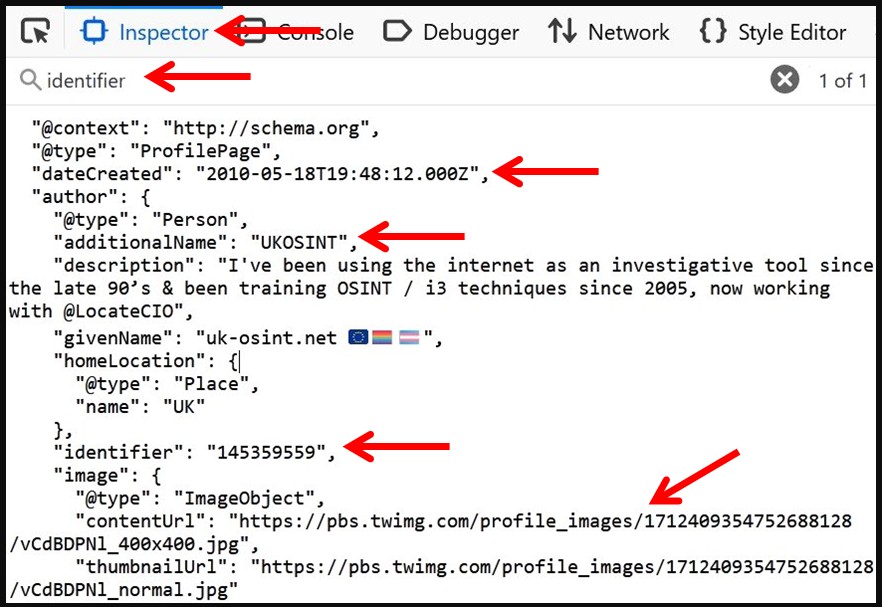
You can obtain the X / Twitter Account ID Number by clicking on F12 to open the Developer Tools when viewing the X / Twitter account of interest, if using Firefox access the Inspector tab, whilst in Chrome access the Elements tab, then press Ctrl F and search for "identifier": and the X / Twitter Account ID Number will be listed after that, usually shown as the second one down, whilst a search for "dateCreated": will reveal the exact Date & Time that the X / Twitter Account was created.
Method 3 - Turn An X / Twitter Account ID Number Into The Current X / Twitter Account Name
Add an X / Twitter Account ID Number to the end of one of these URL's Here or Here to find the users current X / Twitter username.
Additional Account Details
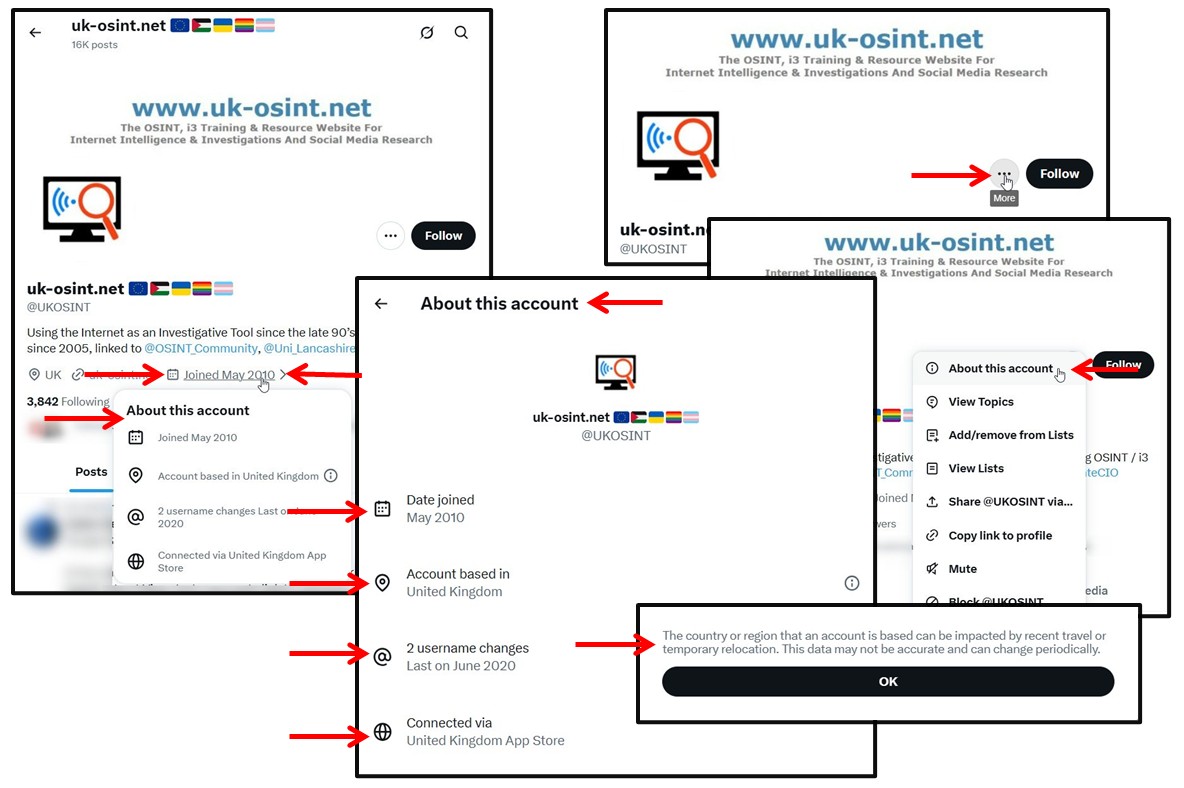
A recent change brought in has been the ability to see the country that the account is based in, or operated from. To access this, when you are on an account of interest, you can either click on the three dots next to Follow / Followed button and then select About This Account, or click on the displayed Joined date. This will display the About This Account section, showing the month and year that the account was created, which country the account is based or operated from, how many username changes the account has undergone, and when was the last time the username was changed, and how the account is normally accessed, which in this case is a UK based app.
How To Identify When An X / Twitter Profile Banner Was Last Updated
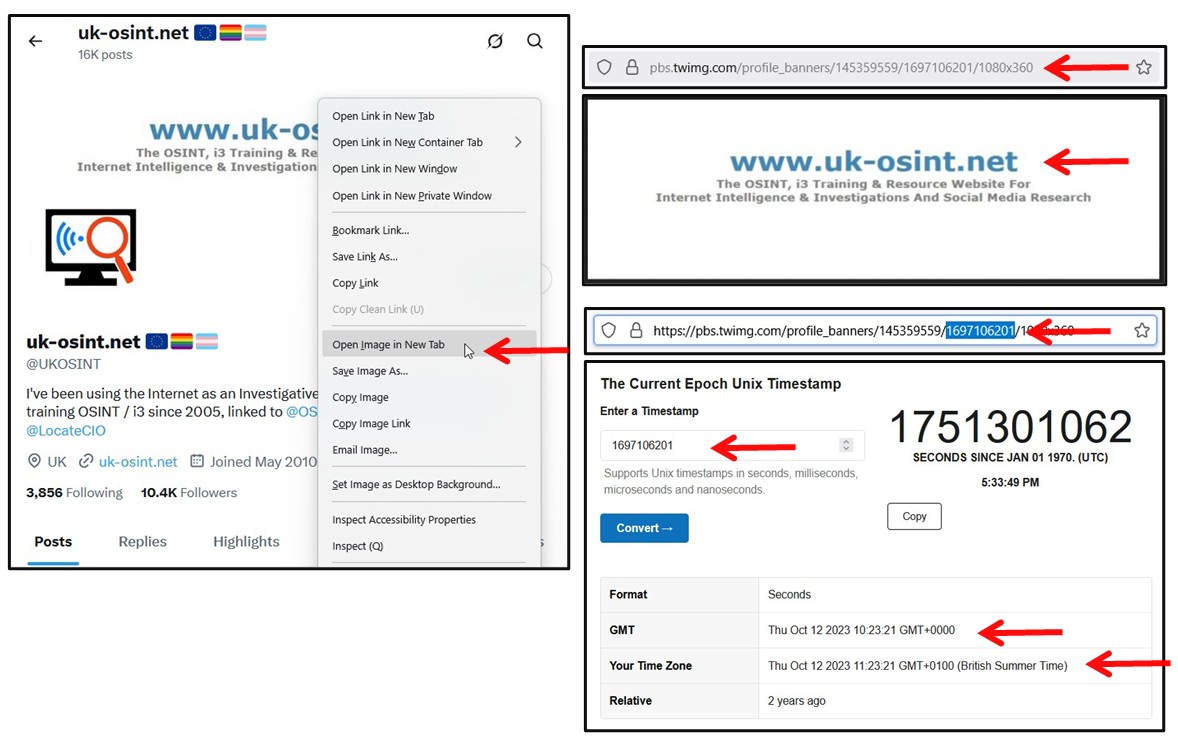
The following is automatically displayed if you use the X User ID Bookmarklet from MyOSINT.Training. However, you can access the details yourself, when on an X / Twitter profile of interest, you can Right-click on the Profile Banner and select "Open image in new tab", which will open up a new tab, the URL of which will be similar to https://pbs.twimg.com/profile_banners/145359559/1697106201/1080x360. In the URL, the numbers after the https://pbs.twimg.com/profile_banners/ relate to the Account ID Number, whilst the next set of numbers after that and before the 1080x360, is a 10 digit number, which if you copy and then paste into a UNIX Converter, many of which are listed on the Time Zone & Time Converter Related Sites & Links page of our website, it will be converted into the date and time (in GMT) of when the Profile Banner was uploaded.
Search An Email Address To See If It Is Linked To An X / Twitter Account
Use the technique shown in the first link, adding an email address to the end of this URL and open in a new to tab, to find out if an email address is linked to an X / Twitter account but not the account name.


X / Twitter Account Name & Bio Changes And Archive Links

Account Research on Archive.Org
View details about researching a social media account on an archive site on the Archive.Org - Social Media Research page of our website, or try the below.

Password Reset - Link An Email Address Or Mobile Number To An X / Twitter Account
Third Party Sites To View An X / Twitter Accounts Posts Without Signing Into X / Twitter



Deleted Tweet Finder

Other Useful Sites


View & Download A Large Version Of A X / Twitter Profile Image
From the account holders' page, Right Click on the Profile image and then select Open Image In New Tab to view and obtain a larger version of it.
Video Download Sites